CONNECTED OPERATIONS

Heavy Civil Construction Software That Connects Field, Office, & Fleet

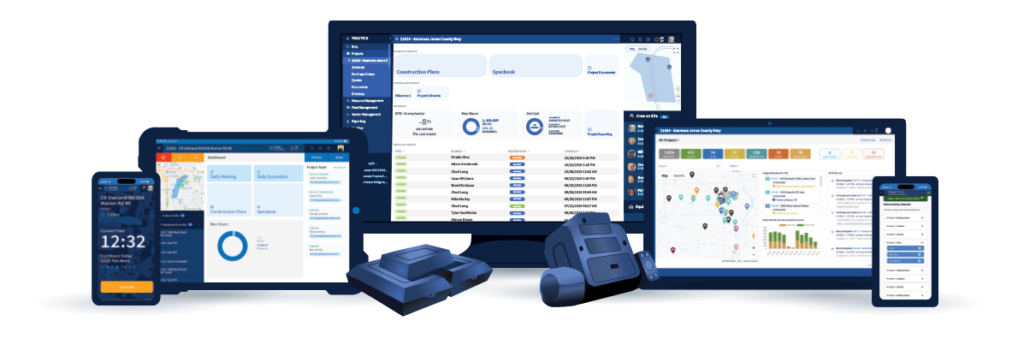
Most contractors manage labor, documentation, equipment, and reporting across disconnected systems. Tractics connects field, office, and fleet workflows in one platform built for heavy civil construction—helping teams reduce duplicate entry, improve visibility, and work from the same operational information.

BY THE NUMBERS

See What Heavy Civil Contractors Are Achieving with Tractics

Every contractor uses Tractics differently. Explore how customers are improving payroll, field documentation, project reporting, equipment visibility, job-cost insight, and field-to-office communication.

Underground Utility Contractors

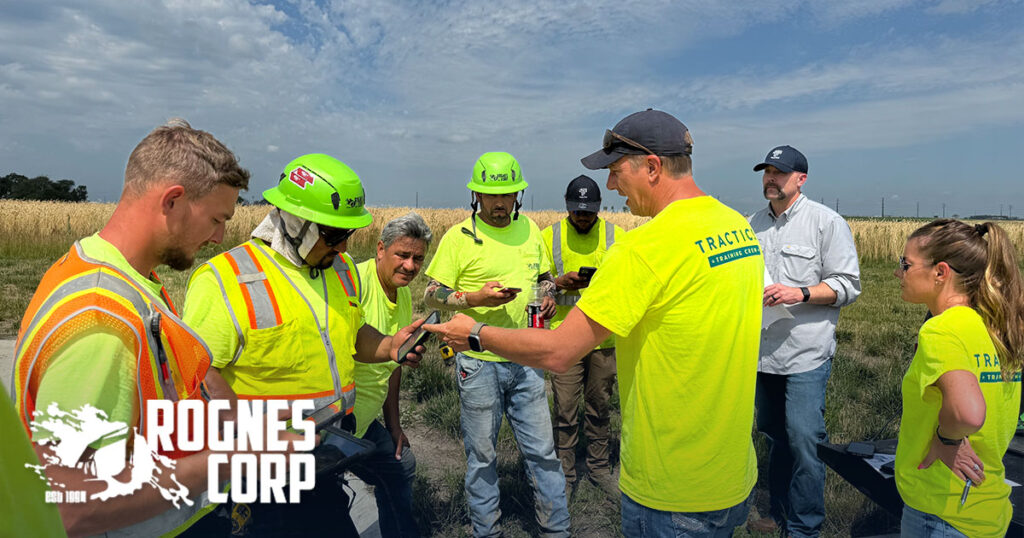
How Rognes Reduced Payroll Time & Improved Project Visibility in the Office

Rognes connected field activity with office and ERP workflows to reduce payroll time and improve visibility into labor, quantities, and project performance.

6 Hours → 2 Hours

Weekly Payroll Time

Read Full Story →

Heavy Civil Construction

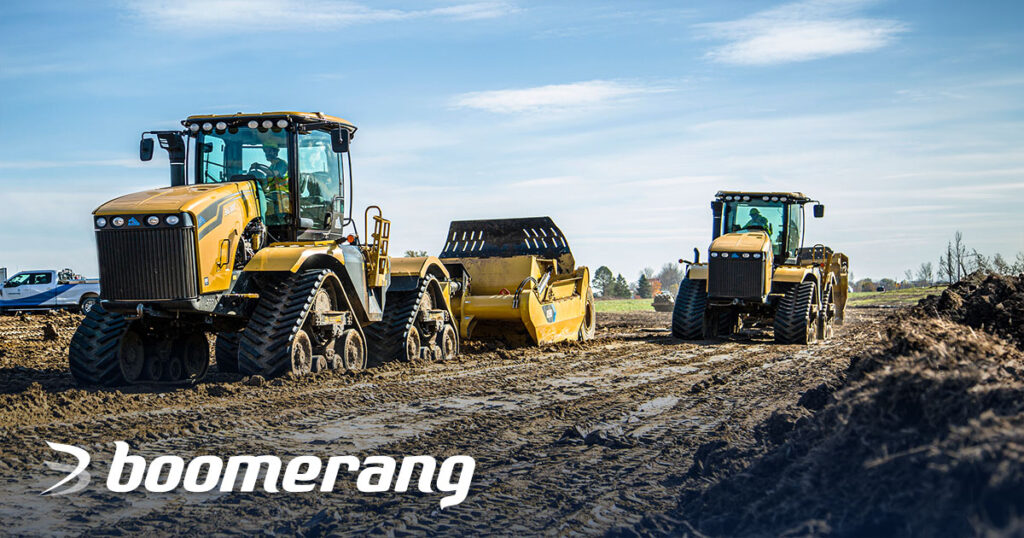
How Boomerang Improved Field Visibility, Payroll & Equipment Accountability

Boomerang made field documentation easier, reduced payroll follow-up, supported multilingual crews, and strengthened equipment accountability.

40 Minutes → ~15 Minutes

Daily Time & Documentation

Read Full Story →

Underground Utility Contractors

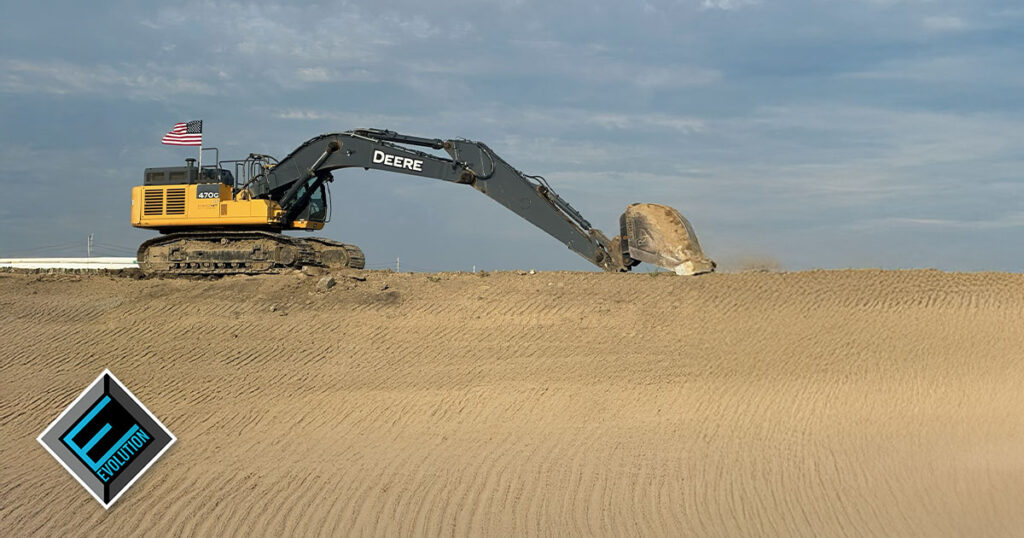
How Evolution Moved Beyond Paper Timecards to Better Project Visibility

Evolution replaced paper timecards with cleaner field data, better jobsite documentation, and real-time crew visibility.

Fewer Timecard Errors

For PMs and Payroll to Fix

Read Full Story →

INDUSTRY INVOLVEMENT

Why Heavy Civil Contractors Choose Tractics

Customer Results by Solution

See How Contractors Like You Use Tractics

Heavy civil workflows vary by the work being built. Explore customer stories and Tractics solutions based on the type of contractor you are.

Underground Utility Contractors

Document labor, installed quantities, and daily activity across water, sewer, and underground utility work. View Customer Stories →

Heavy Civil Contractors

Bring field, office, and fleet teams together across complex construction projects with multiple moving parts. View Customer Stories →

Earthwork & Excavation

Track grading progress, excavation activity, equipment hours, and production across earthmoving projects.

View Industry Page →

Infrastructure Contractors

Keep project information connected across complex transportation, utility, and public infrastructure work.

View Industry Page →

Site Development Contractors

Stay up to date on work from initial clearing and grading through utilities, paving, and final site completion.

View Industry Page →

Highway Contractors

Maintain visibility into labor, equipment, and progress across roadway construction and rehabilitation projects.

View Industry Page →

Asphalt & Paving Contractors

Capture daily paving activity, material quantities, and equipment time as crews move between jobsites.

View Industry Page →

Municipal Contractors

Organize records across street improvements, utility work, and other public projects serving local communities.

View Industry Page →

Customer Results by Solution

See Tractics Solutions in Real Heavy Civil Workflows

Explore the customer outcomes behind the Tractics platform—from field time tracking and daily documentation to project reporting, ERP connectivity, and equipment visibility.

FIELD OPERATIONS

See how contractors capture labor, document work, complete daily field logs, and keep crews connected from the jobsite.

Featured Customer Stories

OFFICE OPERATIONS

See how field information becomes cleaner payroll, project reporting, job-cost visibility, and better operational decisions.

Featured Customer Stories

FLEET OPERATIONS

See how contractors improve equipment visibility, accountability, GPS tracking, and fleet operations.

Featured Customer Stories

Customer Perspective

Built Around the Way Heavy Civil Contractors Actually Work

“The one thing the guys have absolutely loved is that it’s easy. They already have their phones on them, so documentation actually gets done.”

Stacey Wormley | Evolution Contracting

Vice President

“After just a few days, our team felt confident using the software. Any questions were handled quickly by someone who knew our setup.”

Alice | Rognes Corp

Office Manager

INDUSTRY INVOLVEMENT

Why Heavy Civil Contractors Choose Tractics

6 Hours → 2 Hours

Weekly Payroll Processing

Boomerang Corp

2 Hours → ~1 Minute

Running Report

Boomerang Corp

~40 Minutes → ~15 Minutes

Weekly Payroll Processing

Boomerang Corp

2+ Hours → 1–2 Calls

Weekly Payroll Follow-Up

Boomerang Corp

Stolen Vehicle Recovered

Equipment Beacons & Tracking

Boomerang Corp

Fewer Timecard Errors

Payroll Workflow

Boomerang Corp

DIG DEEPER

More Resources for Heavy Civil Contractors

Construction Guides

Practical resources for improving field, office, and fleet workflows.

Construction Guides

Articles on construction operations, labor, equipment, reporting, compliance, and technology.

Construction Guides

Practical resources for improving field, office, and fleet workflows.

Construction Guides

Articles on construction operations, labor, equipment, reporting, compliance, and technology.

WHY TRACTICS?

Why Heavy Civil Contractors Choose Tractics

Built For Heavy Civil

Purpose-built workflows designed around heavy civil operations—not generic construction.

One Connected Platform

Connect field, office, and fleet teams with shared project information and better operational visibility.

Dedicated Customer Success

Personalized implementation, onboarding, and support from a team that understands construction.

ERP Integrations Certified

Official Sage Intacct, Trimble Vista, and open API integrations for modern construction technology.

Industry Expertise

Trusted by contractors when building roads, utilities, site developments, and public infrastructure.

Built to Grow with You

Whether you’re managing a handful of crews or operations across multiple regions, Tractics scales with you.

Ready for more?

See How Tractics Connects Your Field Operations

Every contractor wants better visibility, fewer disconnected systems, and more confidence in what’s happening across the business. The best way to see how Tractics can help is through a personalized demonstration focused on your workflows and your projects.

INDUSTRY INVOLVEMENT

Tractics is a Proud Member of These Trusted Associations

FOREMEN & CREW ApP

Frequently Asked Questions

What is the difference between the Crew App and Foreman App?

The Crew App is designed for field workers to track labor hours, record breaks, access job information, capture notes and photos, and stay connected throughout the workday. The Foreman App includes additional tools for managing crews, reviewing labor activity, accessing project documents and forms, reviewing field logs, and overseeing daily jobsite operations.


Can crews clock in and out from their phones?

Yes. Crew members can clock in, clock out, add lunch time, and review their Hours Log directly from the Tractics Mobile App. Foremen can also assist crew members with clocking in and out through the Kiosk page in the Foreman App.

Can foremen review labor activity from the field?

Yes. Foremen can review labor activity, monitor crew status, and stay informed about project activity throughout the day.

Can crews and foremen capture photos and field notes?

Yes. Both apps provide tools for documenting work with notes and photos directly from the jobsite.

Can foremen access project documents and forms from the field?

Yes. The Foreman App provides access to project documents, project forms, company contacts, and project contacts directly from the field.

Can foremen find crew contact information from the field?

Yes. Foremen can access crew, company, and project contact information directly from the app to help coordinate work and communicate with field personnel. 

Can foremen review field logs from the app?

Yes. Foremen can review field log information and project activity directly from the app to help maintain visibility into daily operations. 

How does information get back to the office?

Labor activity, notes, photos, and project updates sync back to Tractics so payroll, project management, and operations teams always have access to current job information.

Do the Crew & Foreman Apps work on smartphones and tablets?

Yes. Tractics mobile applications are designed to work on common smartphones and iPad tablets used by heavy civil contractors in the field.

What is construction time tracking software?

Construction time tracking software helps contractors capture labor hours, monitor workforce activity, and maintain accurate labor records across projects. Instead of relying on paper timesheets, crews can record hours directly from the field while supervisors and office teams gain real-time visibility into labor activity.

How do crews clock in and out using Tractics?

Crew members can clock in, clock out, and record breaks directly from the Tractics Crew App. Hours are captured in the field and made available to foremen, project managers, and office teams without requiring paper timesheets or manual data entry. 

Can Tractics replace paper timesheets?

Yes. Tractics helps contractors move away from paper timesheets by allowing crews to record labor hours digitally. Labor records are maintained within the platform, helping reduce paperwork and improve visibility into workforce activity.

How does mobile time tracking work?

Tractics allows employees to track labor hours directly from supported mobile devices. Workers can record time throughout the day while foremen review labor activity and office teams access labor information for payroll and reporting purposes.

Can foremen review employee hours from the field?

Yes. The Tractics Foreman App includes Hours Log functionality that allows supervisors to review crew labor activity, monitor recorded hours, and maintain visibility into workforce activity throughout the day. 

Can contractors track employee breaks and attendance?

Yes. Tractics supports labor tracking workflows that include clocking in, clocking out, and recording breaks. Labor information can then be used to support attendance tracking, payroll preparation, and workforce reporting.

How does construction time tracking improve payroll accuracy?

Accurate labor records help reduce payroll corrections, missing hours, and manual data entry. By capturing labor information directly from the field, Tractics helps contractors maintain cleaner payroll records and improve overall labor accountability.

How are labor hours connected to projects?

Labor activity is associated with project work being performed in the field. This helps project managers, operations teams, and office staff understand where labor resources are being utilized and maintain greater visibility into workforce activity across active projects.

Can office teams see labor hours without waiting for timesheets?

Yes. Labor information recorded in the field becomes available to office teams, helping payroll administrators, project managers, and operations leaders gain visibility into workforce activity without waiting for paper records to be submitted. 

Why is construction time tracking important for heavy civil contractors?

Heavy civil contractors often manage multiple crews, jobsites, and projects simultaneously. Construction time tracking helps improve labor visibility, simplify payroll preparation, support reporting, and provide greater accountability across the workforce.

New To Tractics

Ready to Get Started?

Or Call Us At 816.762.5001

Current Customers

Need Help With Tractics?

Or Call Us At 816.762.5001

REQUEST A DEMO

Submit your information below and we’ll respond soon.
All fields required.

We Value your Privacy

We use cookies to enhance your browsing experience, serve personalized ads or content, and analyze our traffic. By clicking “Accept All”, you consent to our use of cookies. See our Privacy Policy.